Modules of the workshop software
Explore in detail each module that makes up Gestioo's workshop management software.
Client directory
Organization and contact management.
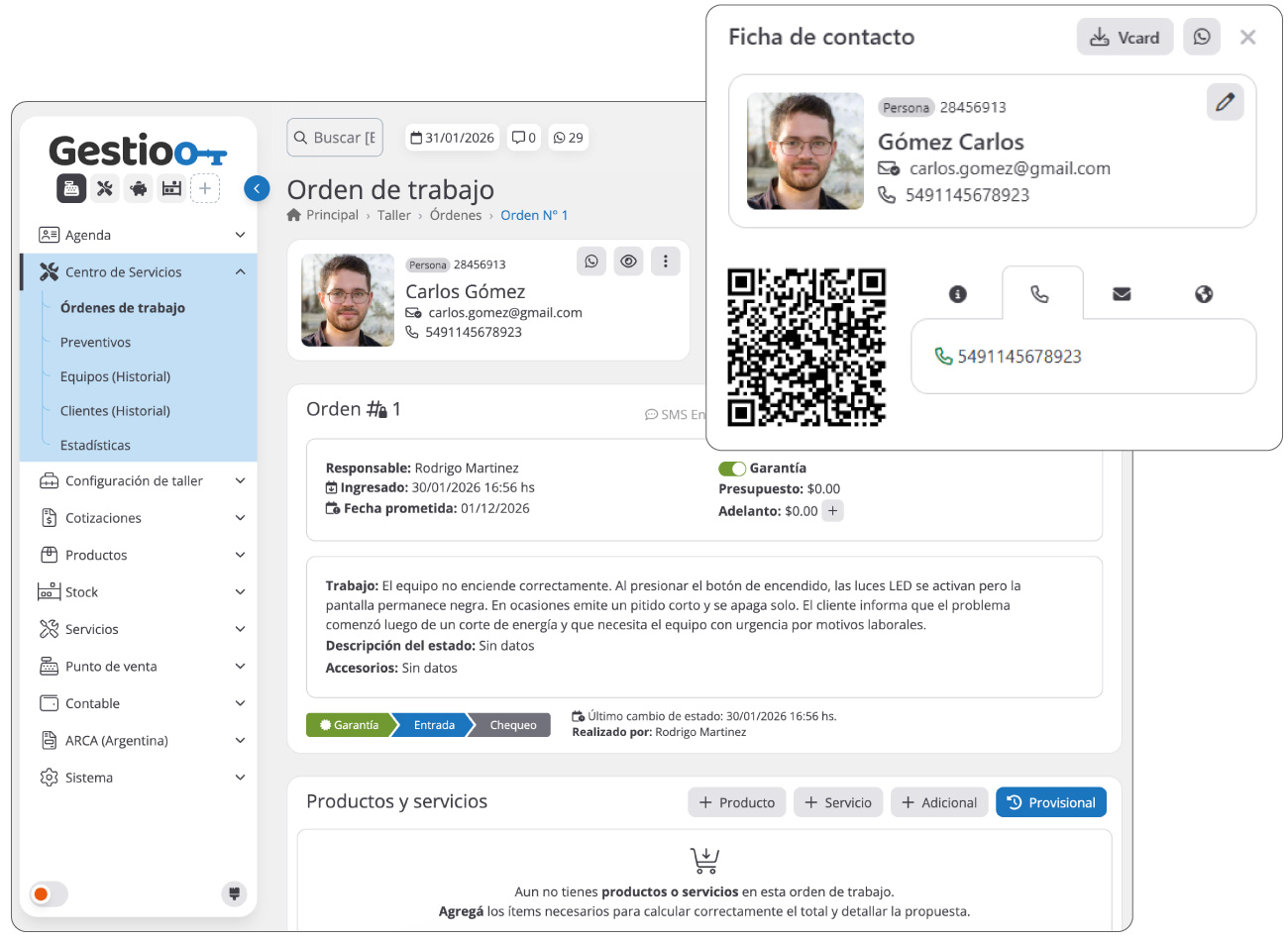
The client directory module lets you manage a complete directory of your clients, whether individuals or companies. By registering their data, you can relate them to various activities and other modules, such as purchases, sales, technical services, preventive maintenance and more.
Keep your clients informed through different communication channels, such as email, SMS, WhatsApp and push notifications to the mobile apps.
Its main functions and features are:
- Quick-access file: View all the information of each client in a detailed file with related tools for efficient management.
- QR for a quick directory: Scan the QR code on the client file to save it directly to your mobile phone.
- Advanced reports: Download complete lists of your contacts in PDF or Excel format for analysis and management.
- VCARD export: Download a client's information in VCARD format to easily import it into other systems or applications.
- Email lists in CSV: Generate email lists in CSV format for mailing campaigns for informational or promotional purposes.
- Address and location management: Manage addresses and locations with direct integration to the field services module (on-site).
- Tax information and current account: Configure each client's tax data and manage their current account, including credit authorization and limit setting.
- Credential management: Manage clients' access to the private area, allowing the creation, deletion and modification of accounts and passwords.
- Repair history: Keep a detailed record of each device or vehicle, including all preventive and corrective services performed for your clients, ensuring precise and efficient maintenance tracking.
Service center
Comprehensive workshop management.
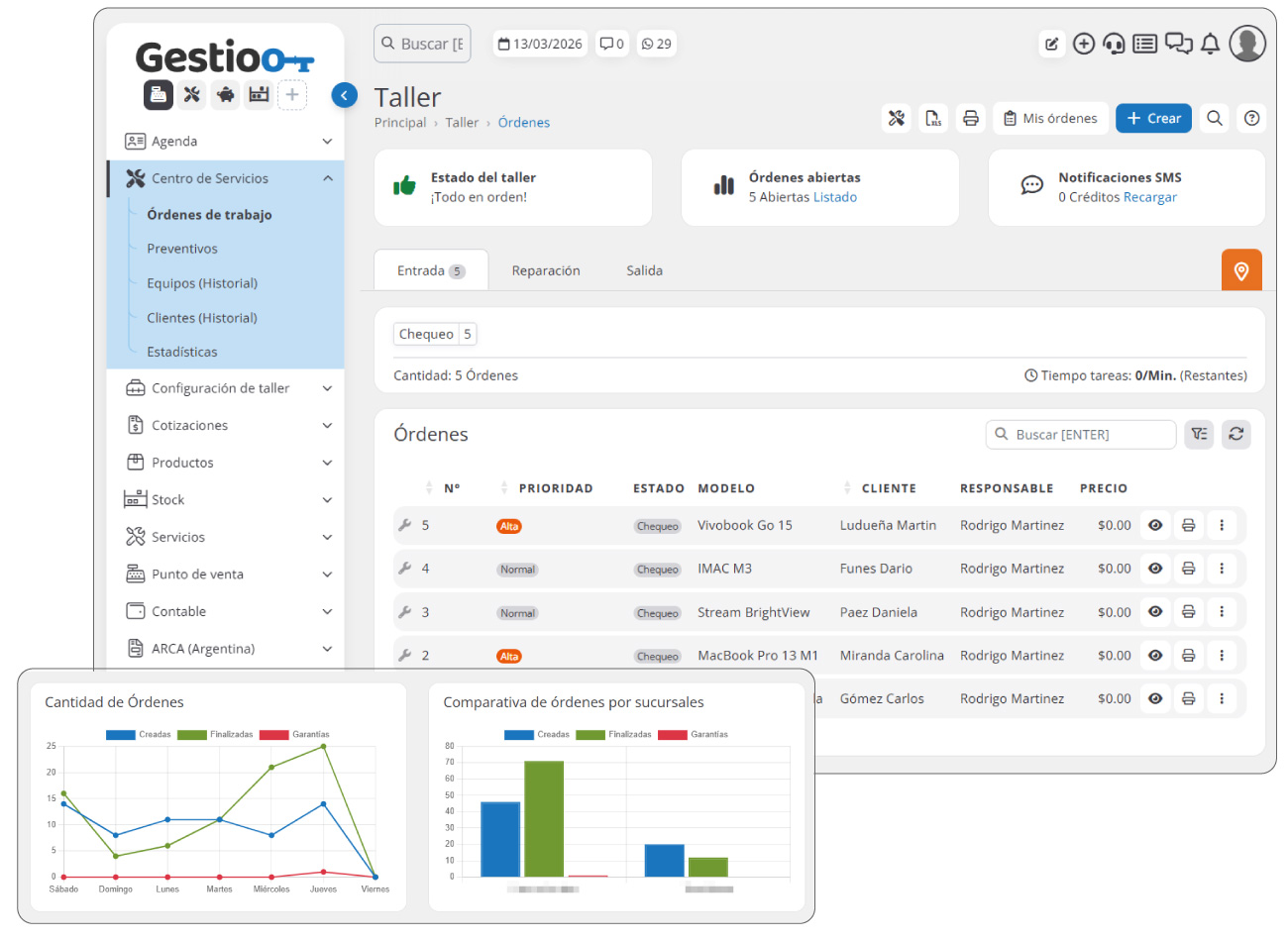
The Service Center module is designed to organize and optimize the operational management of your workshop through a structured system based on work areas and execution states. This methodology allows you to manage each work order clearly and in an orderly way, facilitating the coordination of the technical team and improving control of the services performed.
Through this module you can manage the complete workflow within the workshop, from the arrival of a device or unit to its repair and final delivery. Each work order moves through different areas and states defined by the company, letting you see at all times which stage of the process each service is in.
This approach makes the workshop's internal organization easier, lets you assign owners at each stage and provides a clear view of the workload in each area, optimizing execution times and improving the quality of the service offered to clients.
Its main functions and features are:
- Work order management: Lets you create and manage service orders linked to a client and their device or unit, recording all the information needed to carry out the job.
- Organization by work areas: Structures the workshop's operation through different operational areas, such as reception, diagnosis, repair, quality control and delivery, letting you organize the workflow clearly and efficiently.
- Management by process states: Each work order can move through different states defined by the company, making it easier to track progress and quickly identify the current status of the service.
- Assignment of owners: Lets you assign technicians or owners to each work order or process stage, improving team organization and task distribution within the workshop.
- History by device or unit: Keeps a complete record of all services performed on each device or unit, letting you quickly consult the history of repairs, diagnoses and maintenance.
- History by client: Records all services performed for a client, providing a complete view of their relationship with the company and making it easier to track the work carried out.
- Workshop statistics: Access reports and metrics on the workshop's activity, such as the number of orders processed, repair times, team productivity and customer satisfaction level.
- Service control and traceability: Every action taken within an order is recorded, letting you audit the complete process and keep detailed control of each service performed.
Work orders
Organization and control of technical services.
Proper management of work orders lets workshops efficiently organize each technical service performed on their clients' devices or vehicles. Through this module you can create work orders linked to a client and their device, keeping a complete history of repairs, diagnoses and tasks performed.
Once the order is generated, the system automates communication with the client, keeping them informed about the service progress and giving them access to a digital order where they can check the repair status, approve estimates and view the relevant information of the work in progress.
Its main functions and features are:
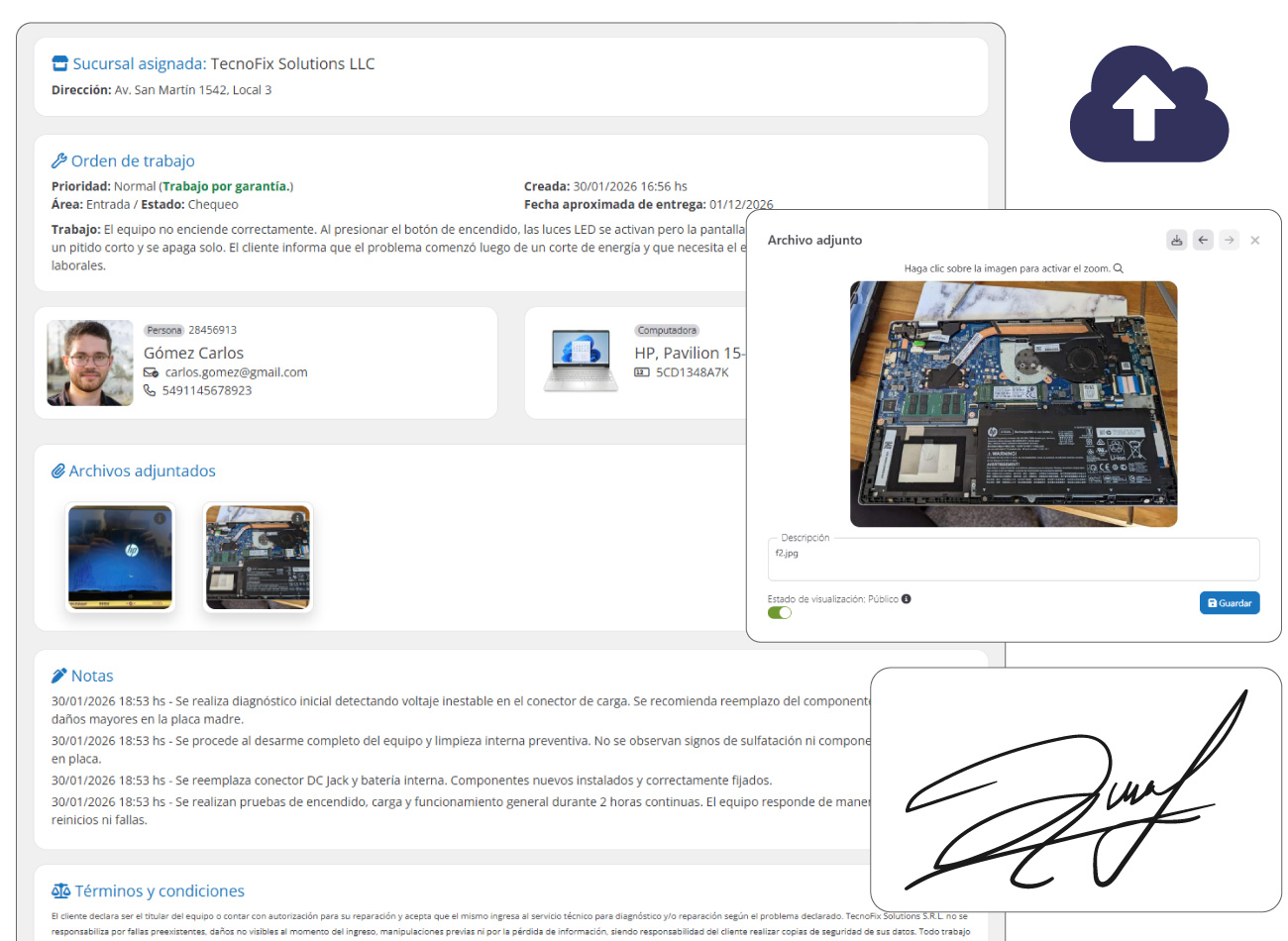
- Creation and management of work orders: Includes vehicle or device data and order details, such as delivery date, status, assigned area and owner. Each work order is stored for future reference, allowing detailed tracking of each client and their repair history.
- Digital order for the client: Each work order automatically generates a digital version accessible through a secure link. From there, the client can check the service status, view estimates, approve work, review photos and related documents, sign digitally and stay informed in real time about the repair progress.
- Estimate and client approval: You can include parts, supplies and labor with their costs. Request the client's approval through an agile confirmation system, avoiding delays in carrying out the work.
- Technical notes: Technicians can record comments or specific instructions about the repair, with the option to keep them private for internal use.
- File and photo management: Lets you upload files and photos of the initial, intermediate and final state of the work. Decide which files are visible to the client and which remain for internal use.
- Task management: Load tasks manually or use predefined templates. Track the progress of each task within the work order.
- Diagnoses and checks: Apply checks at different moments of the process, such as the initial inspection and the final quality control. Define your own check formats according to the workshop's needs.
- Satisfaction survey: When an order is completed, the system sends an automatic survey to the client to measure their satisfaction.
- Digital signature of orders: The client can digitally sign the work order, providing formal backup and avoiding issues.
- Activity logging and control: Every action taken within an order is recorded with date, time and user, allowing full control of each change. Know whether the client has accessed the digital order and whether they have read the update emails.
- PDF document generation: Print intake orders, estimates, reports and completion receipts, among other key documents.
Client area
Web portal for service management and tracking.
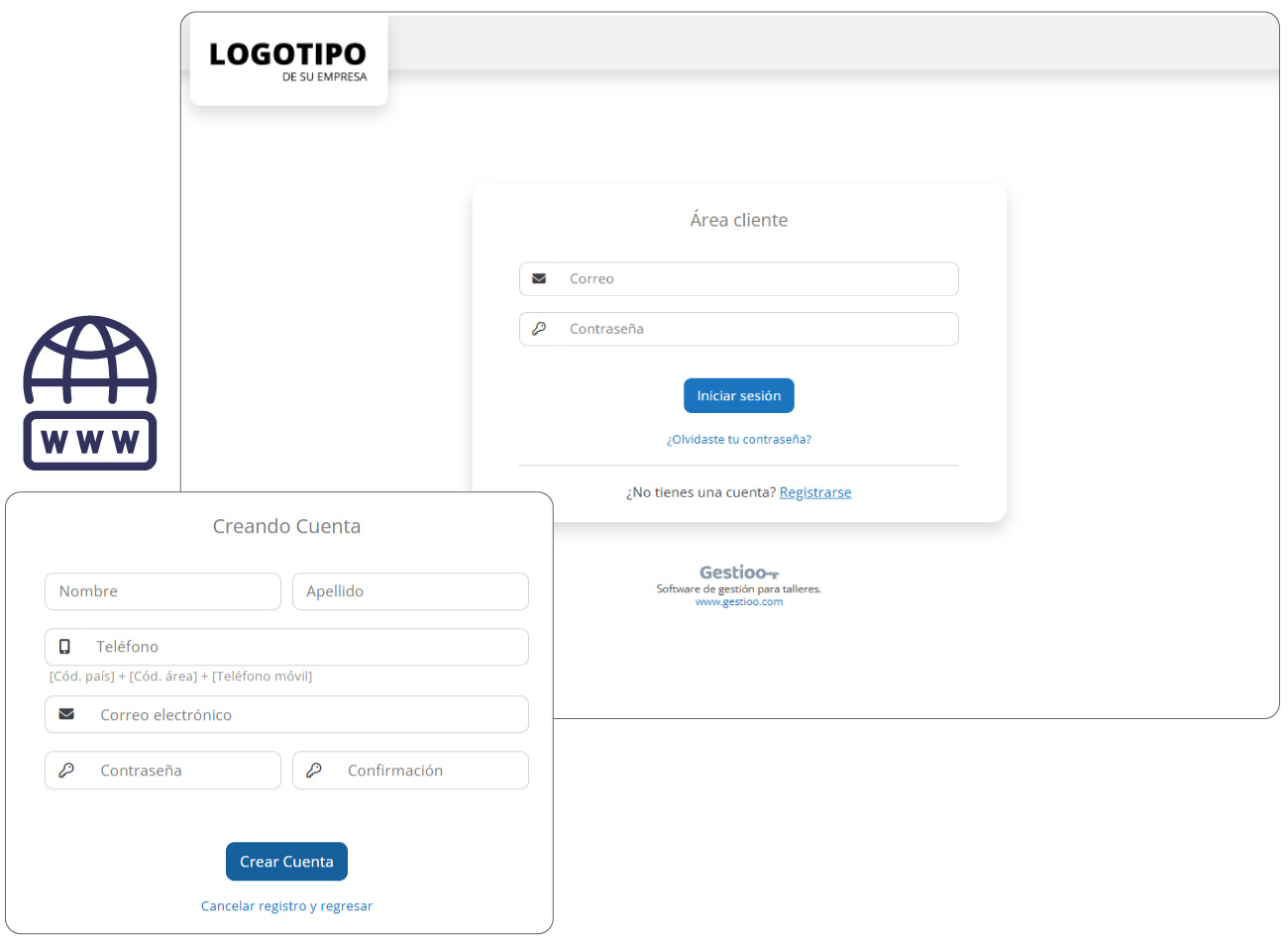
The Client Area module gives your clients access to a private web platform where they can view and manage all the information related to the services performed by your company. Using their login credentials, each client can enter a secure portal where the complete history of their work orders and the information associated with each service is available.
This portal improves communication and transparency between the company and its clients, giving them direct access to information about their repairs, documents and service progress, without the need for phone calls.
In addition, optionally, the system allows clients to request new services or pre-load work orders from the web portal, entering the device or unit data and describing the problem to be solved. This speeds up the intake process and optimizes the workshop's organization.
Its main functions and features are:
- Private access for clients: Each client can enter a secure web portal with their credentials to consult the information of the services performed by the company.
- Client profile management: Clients can update their personal information directly from the private area, including contact details, address and profile photo (avatar). This way, the system automatically keeps the client's file up to date within the directory, ensuring the company always has accurate and current information.
- Access to the digital order: Clients can open the complete digital order where they can view work details, diagnoses, notes, process photos and related documents.
- Service history: Keeps a complete history of repairs and services performed on the client's devices or units available, allowing previous work to be consulted at any time.
- New service requests: Optionally (if your company requires it), the system lets clients generate repair requests from the web portal, pre-loading the device information and the reported problem to speed up the workshop intake process.
- Work order consultation: Lets you view all the work orders associated with the client, accessing their current status, service information and progress made.
- Access to documents and estimates: Lets you consult the estimate, technical reports, checks/diagnoses, photos and other documents generated during the service process.
- Communication and notifications: Clients can stay informed about the progress of their services through automatic notifications sent by email, SMS or mobile notifications.
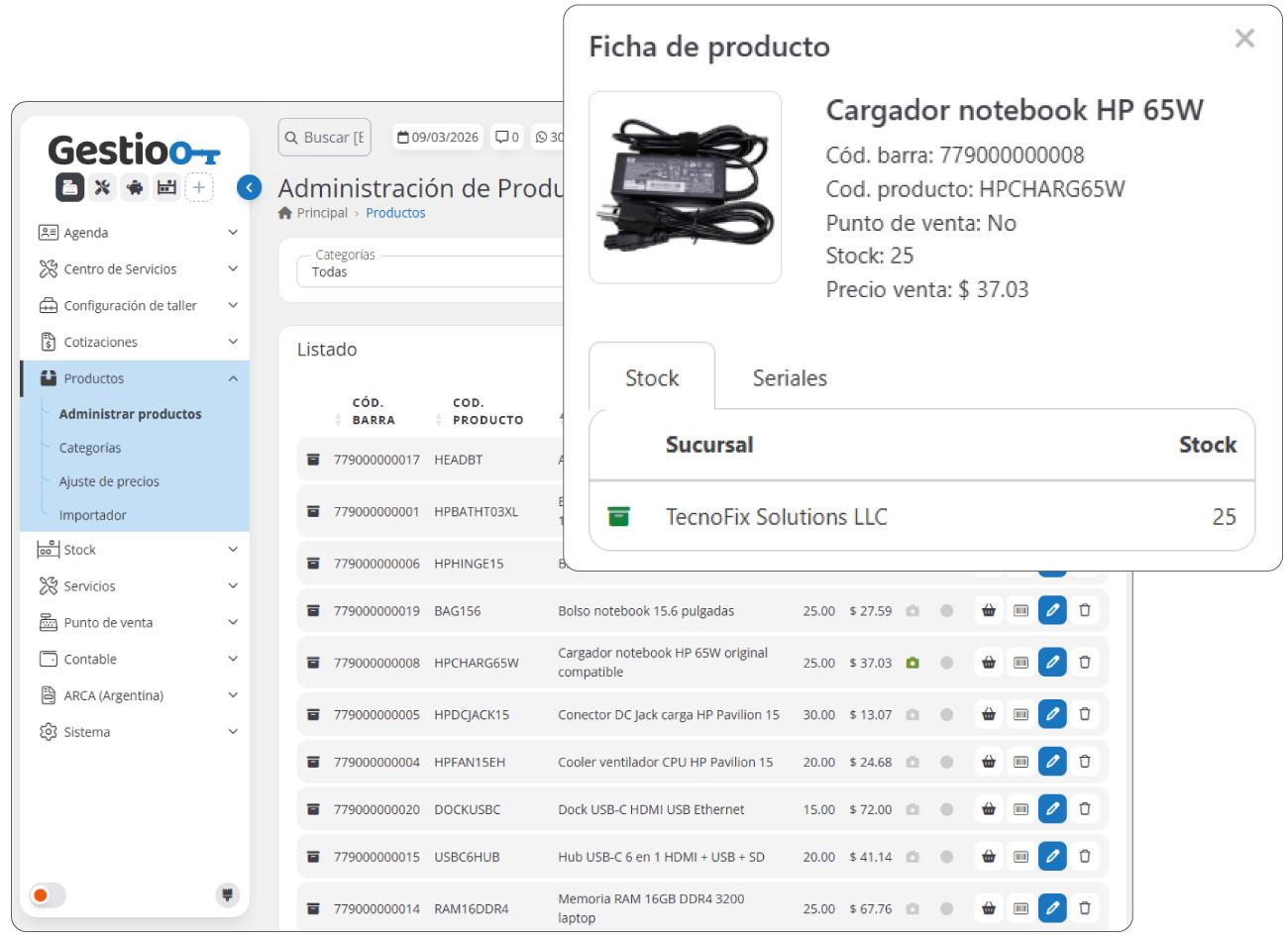
Product catalog
Price list of products and parts.
The product administration module is designed to manage and standardize the information and prices of products and parts within the system. Its functionality lets you manage and apply price lists both at the point of sale for direct sales to clients and in work/repair orders, ensuring consistency across all branches.
Its main functions and features are:
- Product and price management: Lets you load general information for each product, including its description and price configuration. You can set the cost, profit margin and sale price, ensuring standardized rates across all branches.
- Product categorization: Makes it easy to create categories and assign products to them, allowing a more efficient and structured organization of the catalog, which improves search and filtering within the system.
- Download of price and product lists: Makes it easy to generate and export price lists for consultation or internal distribution.
- Product importer: Includes a tool that lets you quickly add and update the product list from external files, optimizing the management of large volumes of data without manual editing.
- Bulk price adjustments: Lets you increase or decrease prices in bulk by category, supplier or other criteria, with the ability to modify different fields at once for more efficient management.
- Integration with estimates: Estimates generated in the system draw directly from the products registered in this module, ensuring calculations are made with up-to-date information.
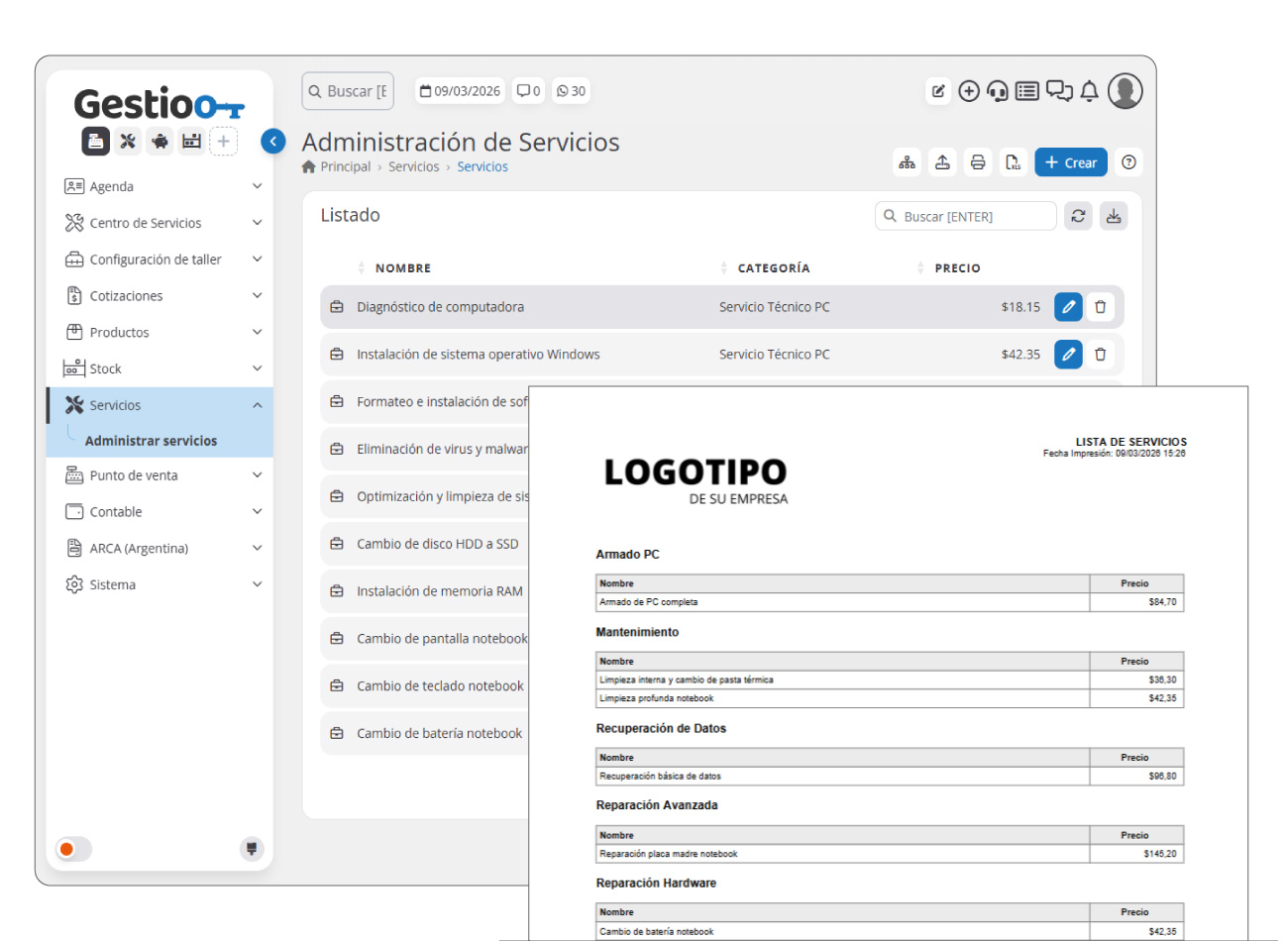
Service catalog
Price list of services.
The service catalog/rate module is designed to manage and standardize labor prices across all company branches. Its main function is to make it easier to manage the costs associated with the different types of service the workshop offers, whether corrective, preventive or on-site.
This module is a key tool to optimize the management of workshop services, ensuring efficiency in labor administration and making integration with work orders easier.
Its main functions and features are:
- Service and price management: Lets you create and organize a list of services with their respective prices, ensuring consistency and transparency in labor billing.
- Rate standardization: Ensures service values are consistent across all company branches, avoiding discrepancies and improving cost management.
- Bulk price import: Includes an import tool that makes it easy to load and update prices in bulk, speeding up the management of changes in the service list.
- Export and download of rate lists: Lets you generate reports with the list of services and their prices, which can be exported and used for reference or communication with clients and suppliers.
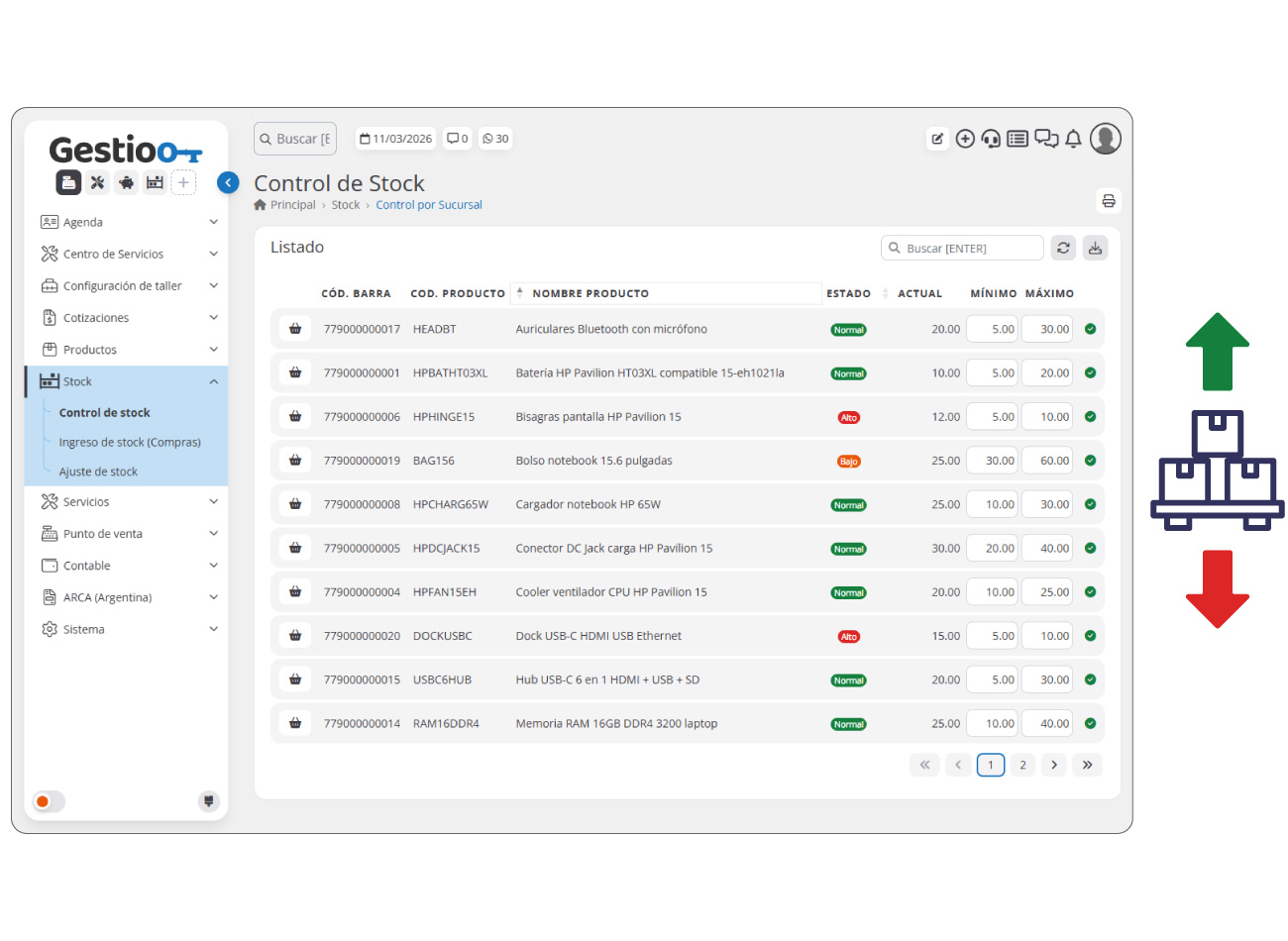
Stock / Inventory
Inventory management.
The stock and inventory management module lets you manage the quantity of products in the warehouse, set minimum and maximum stock levels, and keep precise control of the company's inventory within the software.
Its main functions and features are:
- Stock intake from purchase invoices: Lets you register products by loading purchase invoices, automatically updating the sale value according to the product configuration and ensuring detailed stock control based on purchases.
- Stock adjustment: Makes it easy to modify the inventory, either by adding or reducing products. Each adjustment is recorded to guarantee traceability and avoid inconsistencies in the system.
- Stock movement between branches: Lets you transfer products between branches while keeping a detailed record of each movement to ensure inventory control across all locations.
- Stock control reports: Generates detailed reports on the inventory status, making it easier to analyze movements and optimize resource management.
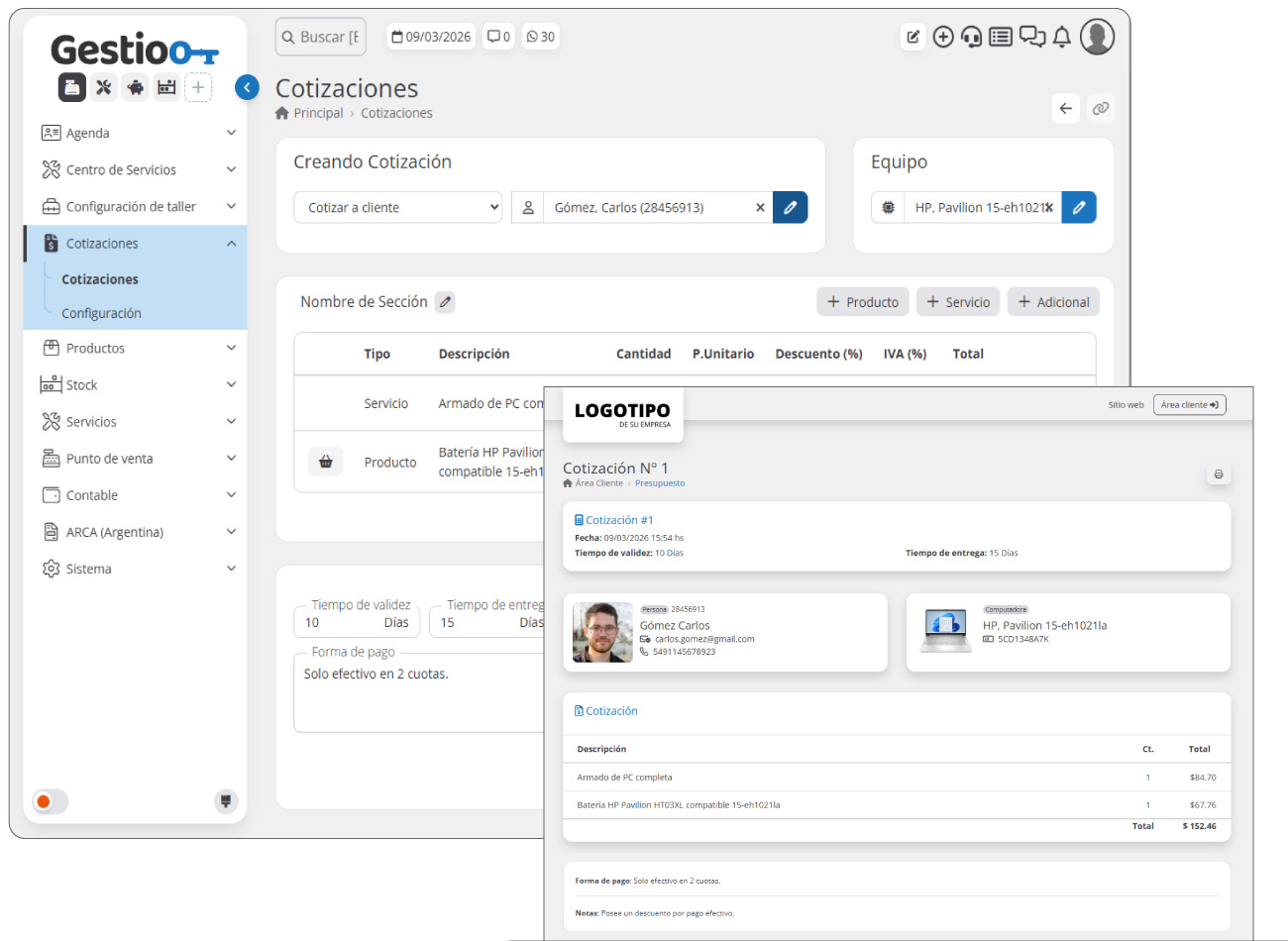
Quotes
Generate, customize and manage quotes efficiently.
The quotes module simplifies the creation and management of estimates for your clients, letting you generate detailed quotes with products and services, set payment terms and validity, and send them in digital or PDF format. With an automated control and tracking system, you can monitor the status of each quote, verify its receipt and optimize the process of converting it into a work order. A key tool to improve the organization and professionalism of your business.
Its main functions and features are:
- Full customization: Define the validity period, delivery times, payment methods, notes and terms and conditions on each quote, adapting it to the client's needs.
- Linking: Associate each quote with a client and a device or vehicle, allowing detailed tracking of each proposal.
- Automatic validity control: Easily identify whether a quote is still valid or has expired, thanks to the control system based on the generation date.
- Digital quote: Give your clients access to a digital web quote through a URL, which can be sent by email, WhatsApp or SMS.
- Estimate sectioning: Create sections within the estimate, grouping different products and services, allowing you to create a clearer estimate with variants.
- Management by branch: Each branch can create and manage its own quotes, keeping detailed control of the proposals sent.
- Tracking and statistics: Check whether the client has received and opened the email with the digital quote and how many times they have accessed it.
- Integration with the workshop module: Take advantage of the information from valid quotes to incorporate them directly into a work order, avoiding data duplication and speeding up service management.
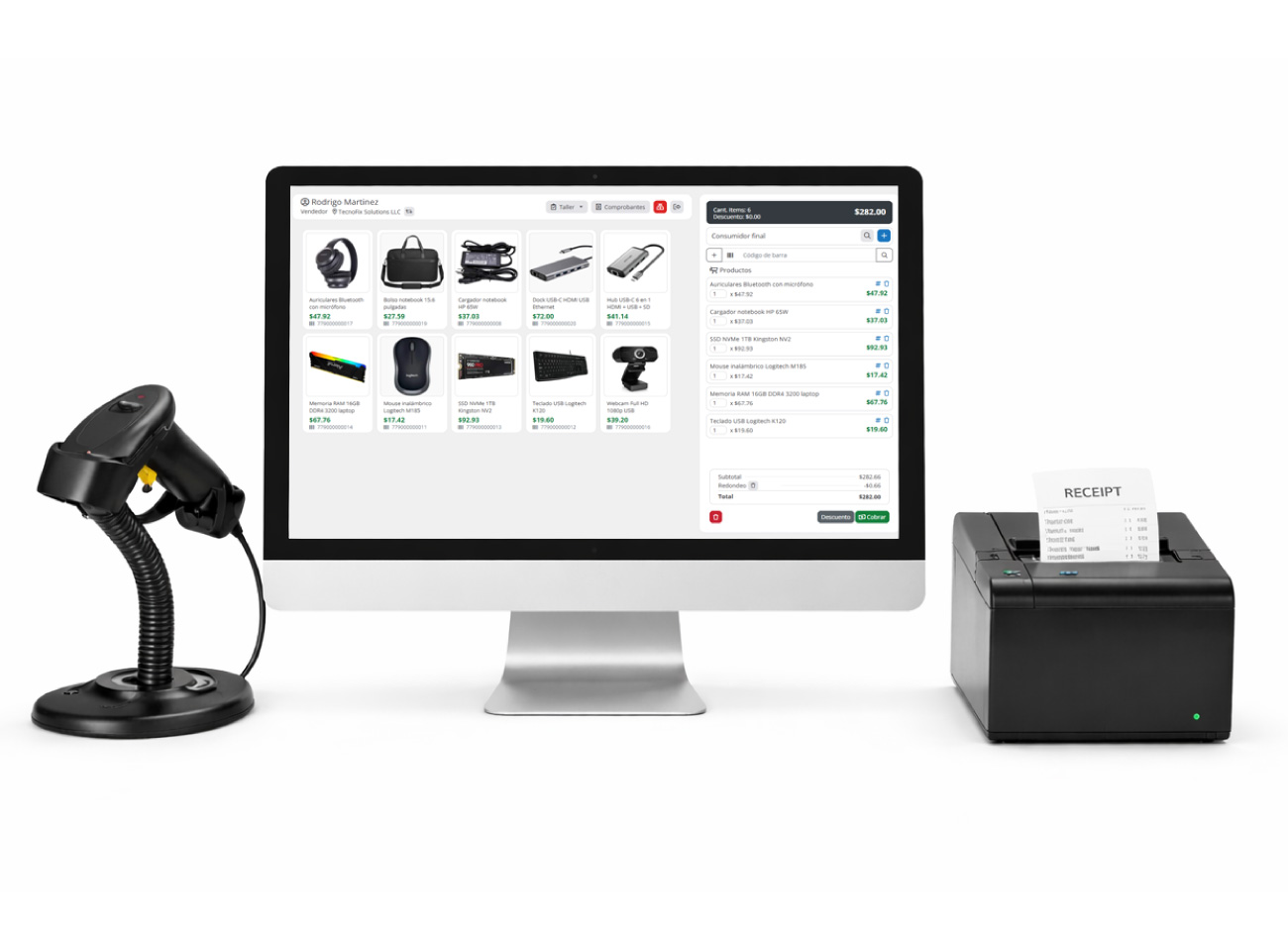
Point of Sale (POS)
Fast and efficient management for counter sales.
The point of sale module is a tool designed to speed up and optimize counter sales through an intuitive interface, specially prepared for points of sale with touch screens. Its functionality goes beyond simple sales management, since it is directly integrated with the workshop module, allowing you to charge for and deliver completed work orders together with the sale of products on the same ticket.
Its main functions and features are:
- Product sales and work order charging in a single process: Lets you manage both the sale of items and the billing and delivery of devices or vehicles coming from the workshop, centralizing the entire operation in a single system.
- Optimized touch interface: Designed to speed up product selection, with the ability to highlight items with photos for quick access and make it easier to use on touch screens.
- Management by branch: Each branch has its own Point of Sale, ensuring precise control of operations and inventory management.
- Issuing and reprinting receipts: Makes it easy to generate receipts in different formats, such as A4 or thermal tickets, and includes the option to reprint the last invoice issued for greater convenience and control.
- Detailed payment methods: Lets you record the payment method used in each sale (cash, card, transfer, current account, among others), providing more detailed receipts and enabling more precise accounting tracking.
- Barcode scanner compatibility: Lets you scan products quickly and efficiently, improving the sales experience and reducing errors.
- Quick product creation: If a product is not previously registered in the price list, the user can create it quickly within the sales ticket.
- Custom price and discount configuration: Lets you adjust product prices, apply specific discounts on each ticket and manage promotions with prominent display for a better shopping experience.
- * Electronic invoice generation in selected countries: Compatible with electronic invoicing in certain countries, letting you comply with tax regulations and speed up the digital invoicing process. (Argentina, Panama, Colombia).
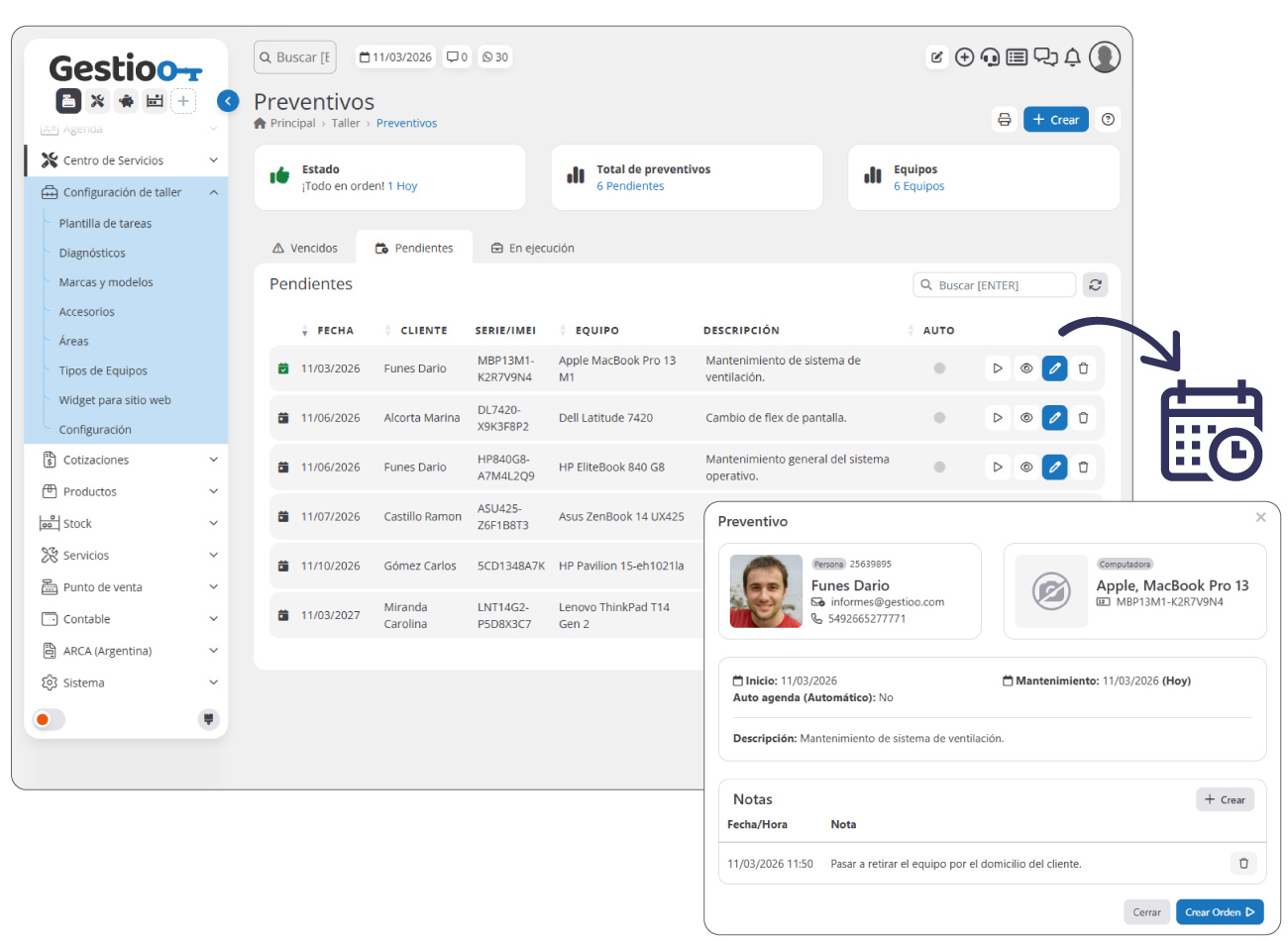
Preventive maintenance
Scheduling of recurring tasks.
The preventive maintenance module is designed to optimize control of the preventive services needed for your clients' devices or vehicles. It lets you schedule and manage each preventive service efficiently, sending automatic alerts both to you and to your clients about upcoming maintenance.
Easily record preventive services, specifying the client's device or vehicle, the work to be done and the required frequency (days, months or hours). The system will generate advance reminders to ensure maintenance is performed on time, avoiding issues.
Its main functions and features are:
- Efficient and automated scheduling: Schedule preventive maintenance in a few steps by entering the client, the device or vehicle, the work to be done and the frequency. The system automatically calculates the corresponding dates and generates reminders.
- Quick creation of work orders (WO): Create work orders directly from a scheduled preventive maintenance, without duplicating information, saving time and effort.
- Status monitoring: View complete statistics on preventive maintenance: easily identify which ones are pending, in progress or overdue thanks to prominent alerts that help you prioritize tasks.
- Email notifications: Keep your clients informed and improve your company's organization with automatic email notifications about upcoming or overdue maintenance.
- Downloadable reports: Generate detailed reports in PDF format according to the maintenance status (pending, in progress or overdue), to make control and decision-making easier.
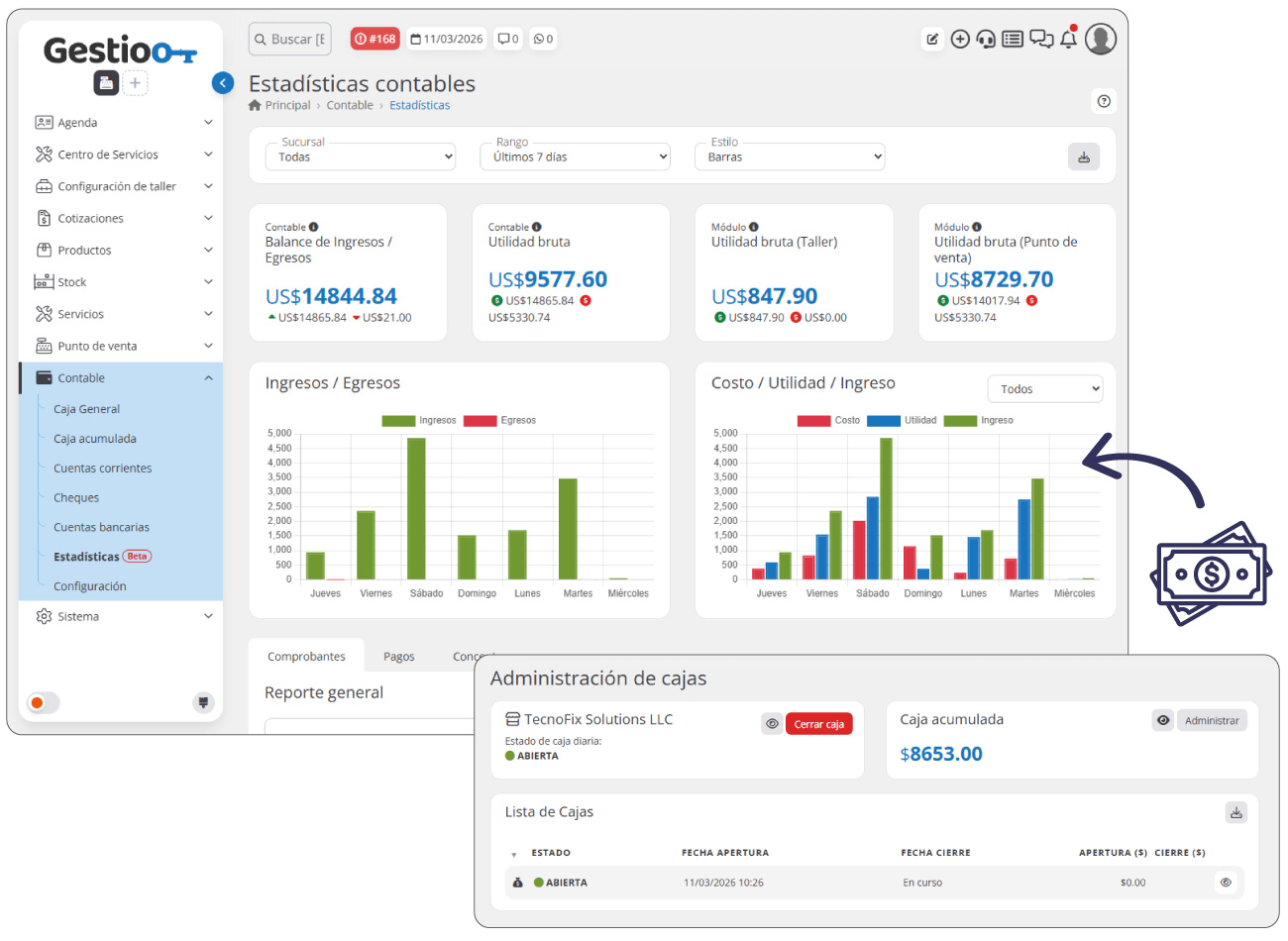
Accounting
Efficient financial management and comprehensive control of your operations
The Accounting module is designed to simplify and optimize your company's financial management. With this tool, you can record and control all economic transactions in one place, ensuring precise tracking of your income and expenses.
From managing cash registers and bank accounts to handling checks and current accounts, this module gives you a clear and centralized view of your business's financial situation. In addition, it integrates smoothly with other system modules, such as sales, work orders and purchases, ensuring more efficient and automated accounting.
Its main functions and features are:
- General cash register: Manage the daily cash registers of each branch, recording income, expenses and manual movements. Get detailed closing reports and download them for a date range.
- Accumulated cash: Consolidates the cash collected across all branches, providing a global view of money inflows and outflows.
- Current accounts: Monitor your clients' balances, recording amounts owed or in credit. View movements, generate reports and manage transactions with ease.
- Bank accounts: Keep detailed control of income and expenses in the company's bank accounts, ensuring a complete financial record.
- Check management: Record issued and received checks, controlling their status and due dates. Generate specific reports for better management.
- Statistics: Access complete metrics on receipts, payments and items recorded in the system, making decision-making easier with precise information.
- Customization and configuration: Define income and expense types, configure accepted banks and credit cards to adapt the accounting module to your company's needs.
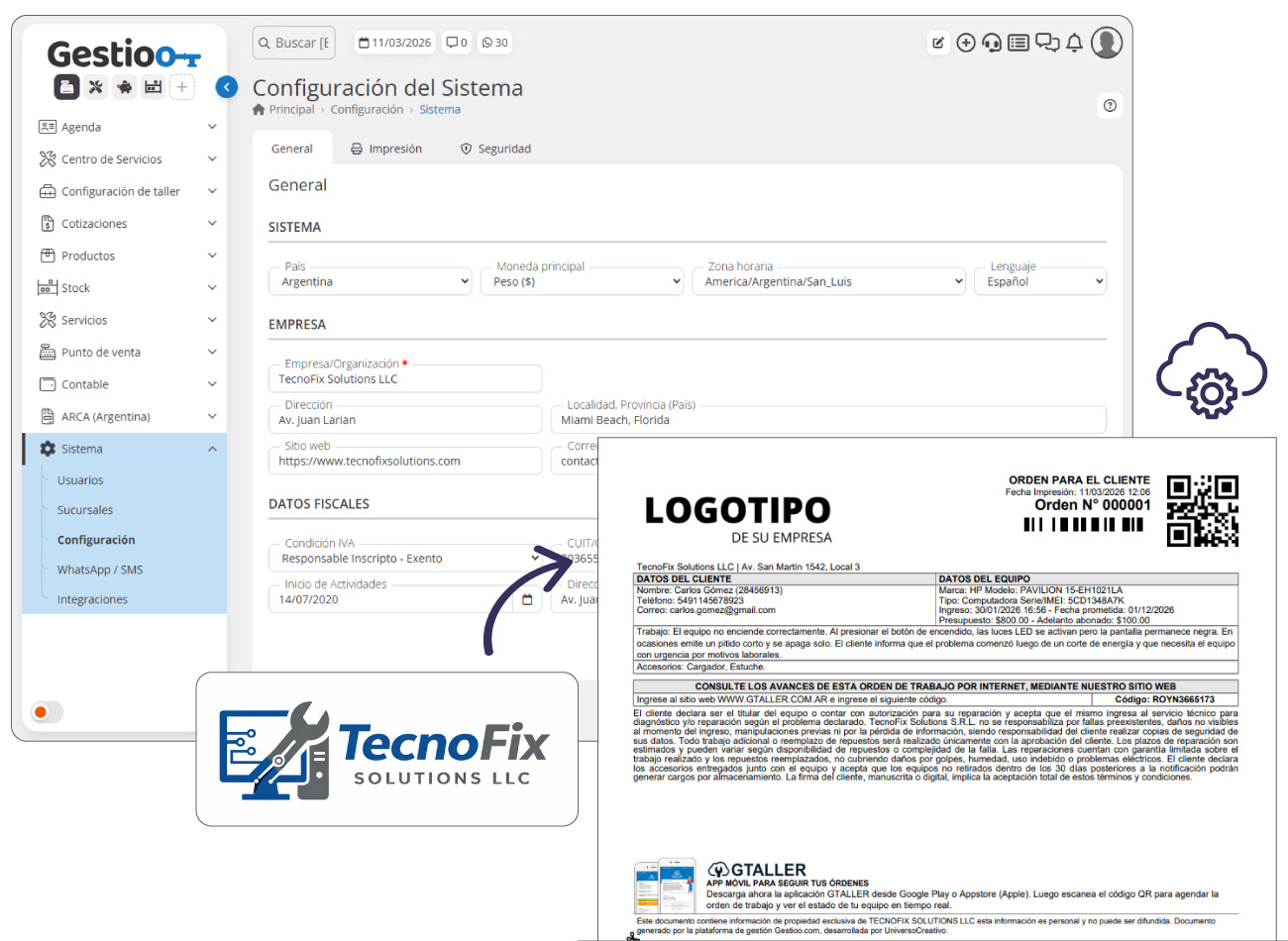
System – General settings
Customize and optimize how Gestioo works for your business
The General Settings module is the core of Gestioo's customization and optimization. Here you can adjust every detail of the system to fully adapt it to your business, ensuring an efficient workflow aligned with your needs.
From managing users and branches to integrating with external tools, this module gives you full control over the platform. Customize your corporate identity, manage automatic notifications and optimize file storage with Amazon S3, all from one place.
Its main functions and features are:
- User management: Manage access to the software and define security profiles to control each user's permissions.
- Branches: Configure the information for each branch and assign access permissions to the corresponding users.
- Corporate identity: Customize the system with your company's information and upload your logo for generating documents and emails.
- SMS and WhatsApp credits: Manage the purchase of credits for sending automatic notifications through these channels.
- General configuration: Adapt Gestioo to your region by setting the country, time zone, currency and default language, ensuring a usage experience aligned with your location and operational needs.
- SMTP configuration: Configure your mail server to send notifications from your institutional account.
- Amazon S3 storage: Link Gestioo with Amazon S3 to manage files, photos and work order documents at a minimal cost.
- External integrations: Connect with hundreds of applications through Zapier or Make to automate and improve your processes.
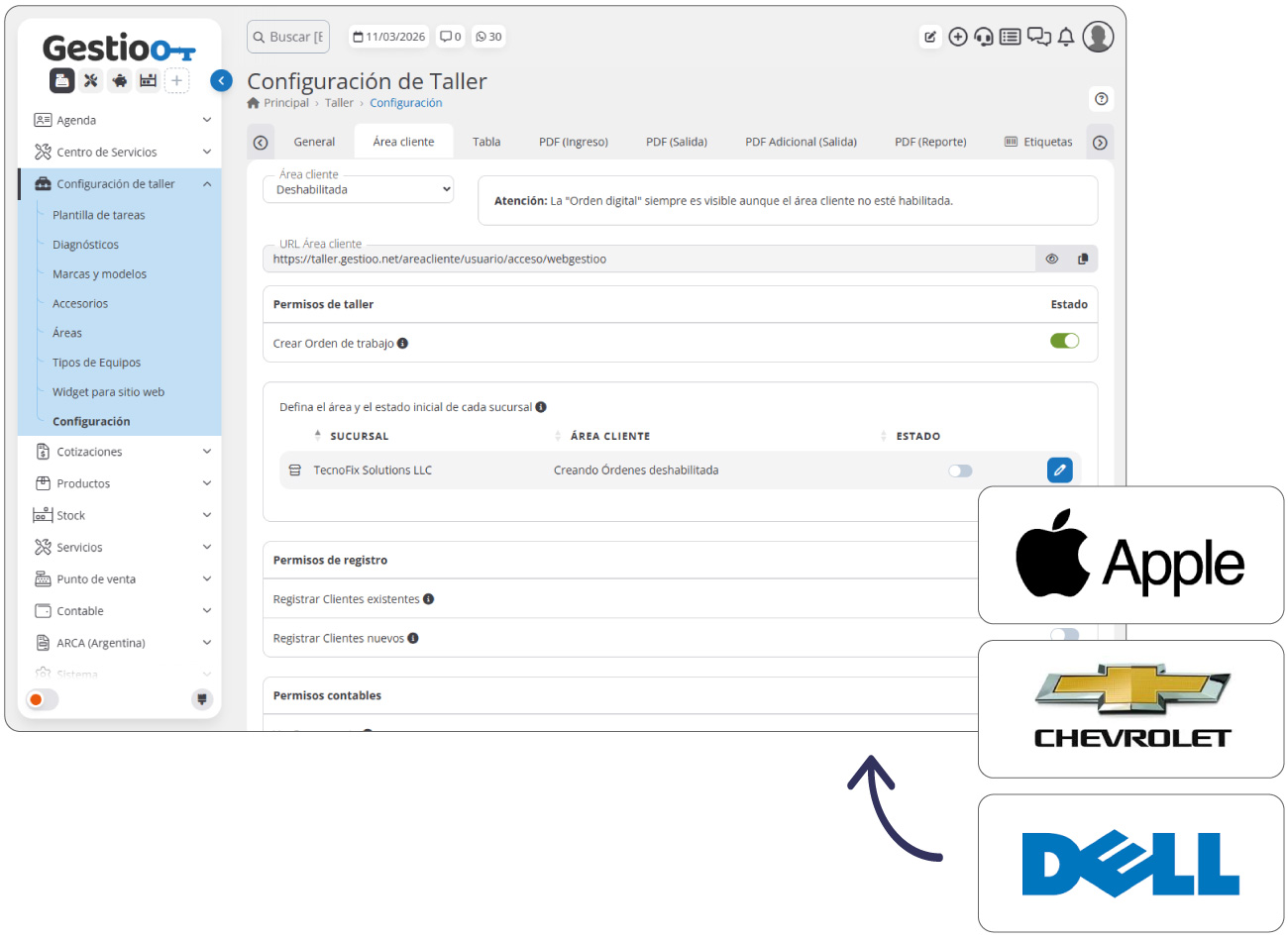
Workshop settings
Customize and optimize your workshop's management.
The workshop settings module gives you full control over work order management, letting you customize each process according to your business needs. With detailed configuration, you can standardize workflows, automate key tasks and improve operational efficiency, ensuring a more agile and organized service.
From defining tasks and diagnoses to managing brands, models and accessories, this module makes it easier to structure each stage of the process, optimizing workshop administration and ensuring precise tracking of each work order.
Its main functions and features are:
- Task templates: Define and automate standardized task lists for faster and more efficient execution within work orders.
- Diagnoses and checks: Create custom forms to assess the state of devices or vehicles at each service phase: intake, repair and delivery.
- Brand and model management: Standardize and organize brands and models to make it easier to use them when creating and managing devices or vehicles.
- Accessories: Manage a detailed list of accessories that clients hand over along with their devices or vehicles for repair.
- Areas and states: Configure your workshop's workflow by setting up custom areas and states with a color traffic-light system for efficient visual management.
- Workflow and states: Configure your workshop's process by setting up custom areas and states, with a color traffic-light system for more efficient visual management.
- Classification: Define specific categories for the different types of devices or vehicles, complementing the brand and model configuration for detailed identification.
- Advanced configuration: Customize every aspect of the system, including interface, texts, software behavior, notifications, mobile apps, client access and much more.
Electronic invoicing in Argentina
Integration with the ARCA fiscal invoicing system.
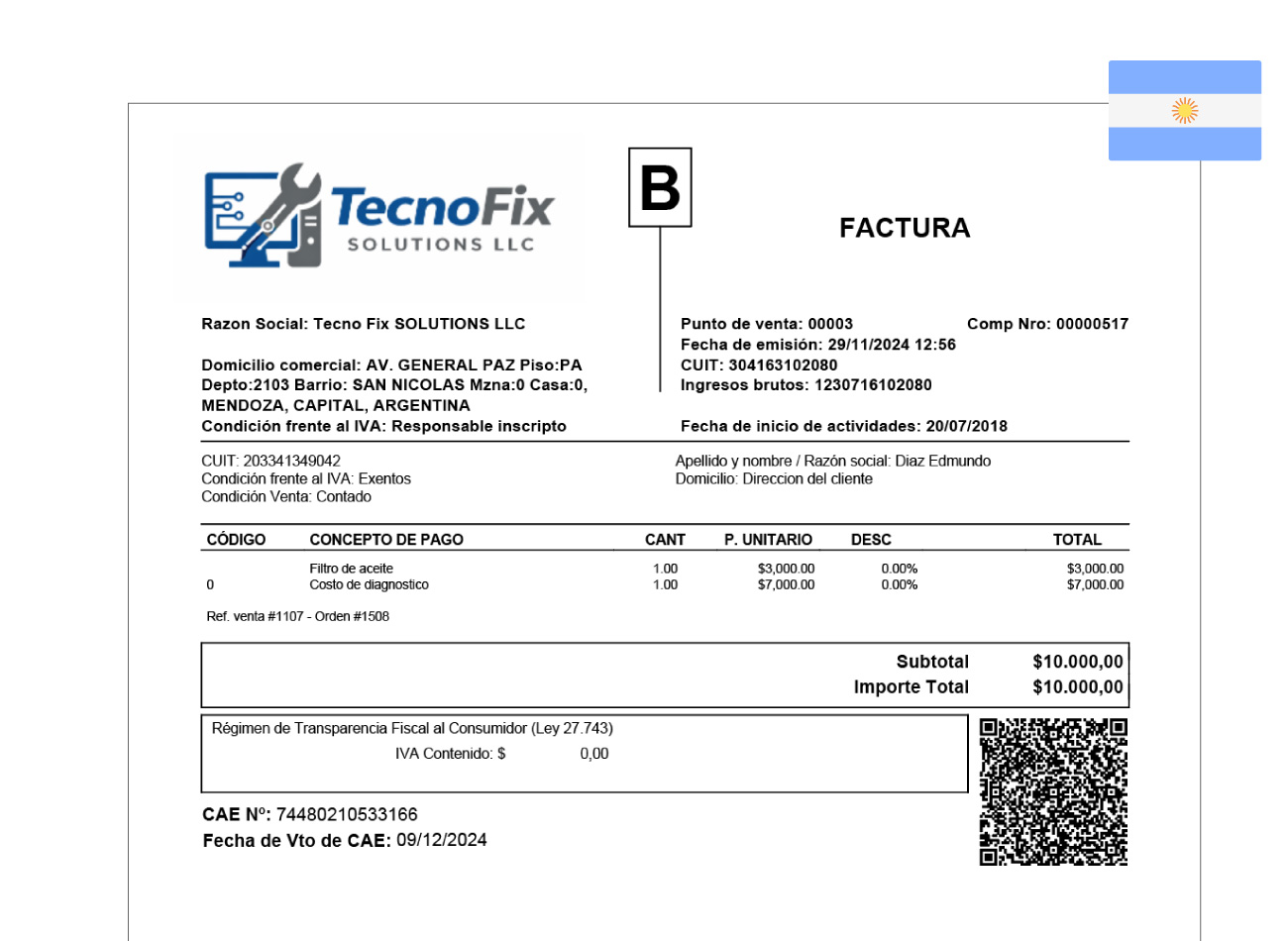
The electronic invoicing module lets you integrate Gestioo with Argentina's ARCA fiscal invoicing system, making it easier to issue electronic receipts directly from the platform. Thanks to this integration, companies can generate invoices automatically when performing operations within the system, complying with current tax regulations.
This module is designed to simplify the invoicing process, avoiding duplicated tasks and allowing invoices to be generated from different system operations, such as point-of-sale sales, work orders or any other operation that requires issuing a fiscal receipt.
In addition, it incorporates specific tools for manual receipt management and a complete invoicing history, letting you consult and manage all issued documents from a single place.
Its main functions and features are:
- Integration with ARCA: Lets you connect Gestioo with Argentina's electronic invoicing system to issue fiscal receipts directly from the platform.
- Automatic invoicing from operations: Automatically generates electronic invoices when performing operations that require invoicing, such as point-of-sale sales.
- Manual invoicing tool: Includes an invoicing interface that lets you create receipts manually when needed, providing flexibility for different types of operations.
- Invoicing history: Keeps a complete record of all issued invoices, letting you consult documents, review fiscal information and access generated receipts at any time.
- Tax regulation compliance: Ensures that issued invoices comply with the requirements of the electronic invoicing system in force in Argentina, making the business's accounting and tax administration easier.
- Receipt customization: Lets you add the company's logo to the electronic invoices issued, achieving personalized documents with the business's corporate identity.